

A renewal plan is complete when visitors receive the correct replacement certificate and a responsible person can detect failure. A scheduled job or a green dashboard is only one piece of that result. Use this guide to review an existing managed service or a self-managed ACME setup; it assumes you know who controls hosting and DNS.
Build an inventory with an owner
Keep one record per distinct certificate deployment. Include the hostnames, TLS endpoint, managing provider or client, validation method, deployment location, current served expiry and responsible team. Add an escalation contact with access to act, rather than an address that merely receives messages.
Record CDN edges and origins separately when both use TLS. Include less visible names such as older domains that still redirect, administrative endpoints and alternate public hostnames. A certificate inventory organized only around the main homepage will miss these dependencies.
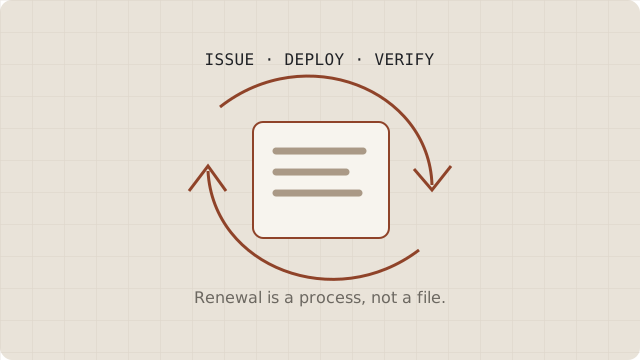
Make renewal dependencies explicit
Identify what the renewal mechanism needs to keep working. That may include a public challenge route, a DNS API credential, a scheduler, an active provider account or access to a certificate storage location. Put those dependencies in the same change checklist used for hosting and DNS work.
Do not build the schedule around an assumed universal certificate lifetime. Follow your provider’s or client’s documented renewal behavior and any CA guidance it supports. Let’s Encrypt’s integration guidance discusses renewal scheduling and operating automated issuance. Leave time to recover from failed attempts rather than treating expiry day as the maintenance window.
Separate issuance from deployment
A client may successfully obtain a new certificate while the web server continues using the previous one. Trace the entire handoff: certificate produced, files or managed secret updated, configuration accepted, relevant service reloaded if required, and every serving node updated.
Use the platform’s documented deployment mechanism. For Certbot, deployment hooks are intended for actions after successful renewal; a general command exit status alone does not prove a certificate changed. Its renewal guide explains that distinction. Hook design still needs review for your own service, permissions and failure handling.
When a host manages this process, ask what its renewal status actually represents. Is it issuance, installation, or availability at the public endpoint? Record the answer instead of translating every green status into “visitors are covered.”
Verify the result from the visitor side
After renewal, inspect the certificate served for each relevant hostname. Compare its identity and validity dates with your expected replacement, and check representative browsers or other important clients. Chrome’s security tools provide a browser view of connection details.
With multiple servers or a CDN, one successful connection is a sample. Arrange checks appropriate to the actual routing and deployment scope. A local certificate file proves what is stored there; it does not establish what a remote edge or another load-balanced server presents.
Monitor both the process and the outcome
Monitor renewal failures, deployment failures and the remaining validity of served certificates. Choose alert thresholds that leave enough time for your staffing and recovery process. Send alerts somewhere checked during absences, and agree who acknowledges them. Do not depend solely on a CA or provider email reminder.
Exercise changes in an appropriate test environment before relying on them. Let’s Encrypt staging is intended for issuance testing and produces certificates that ordinary browsers do not trust. Keep those outputs away from production certificate paths. A successful issuance rehearsal also needs a separate deployment review.
A practical handoff checklist
- Every deployment has a hostname inventory and an accountable owner.
- Validation access and scheduler health are documented.
- Renewal output reaches all intended serving endpoints.
- External checks inspect the served identity and expiry.
- Alerts have a recipient, escalation route and recovery instructions.
- Hosting, CDN and DNS changes trigger a fresh review.
Record actual observations after the next renewal. Keep “configured,” “issued,” “deployed” and “verified” as separate states so a future incident starts with evidence.