

You do not need to become a cryptographer to operate an HTTPS website. You need a reliable picture of the connection, an understanding of what the certificate does, and a clear owner for its upkeep. That picture also helps you ask useful questions when your hosting dashboard says everything is enabled but a visitor sees a warning.
Three names, different jobs
HTTP is how a browser requests web pages and their resources. HTTPS carries those exchanges over a connection protected by TLS, short for Transport Layer Security. SSL was TLS’s predecessor; the phrase “SSL certificate” survives in hosting menus and everyday conversation. A modern website should use TLS rather than the obsolete SSL protocols. MDN explains the distinction and the connection protections.
TLS protects traffic against reading and undetected alteration in transit, and lets the browser authenticate the server. It does not encrypt the entire website’s operation. Once information arrives at the service, the site’s application, access controls, storage and staff practices determine how it is handled.
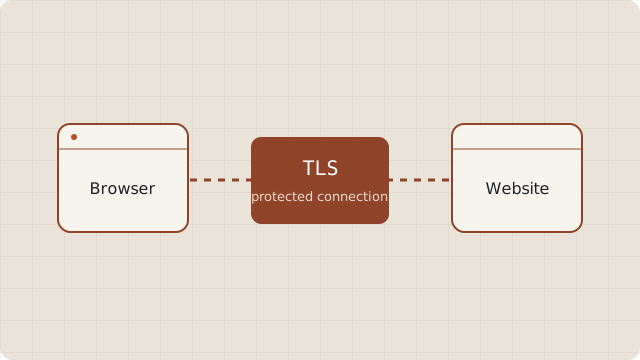
Where the certificate fits
A certificate associates a public key with the website identities it covers. A certificate authority, or CA, issues it after the required validation. The server uses the corresponding private key as part of proving its identity during the connection setup. The private key stays private; visitors receive the certificate, not that secret.
The browser checks several things together: whether the requested hostname matches, whether the certificate is usable at the current time, and whether an acceptable certificate chain leads to a trusted authority. Having a certificate file on the server does not establish that these checks succeed for visitors. The server must actually present the appropriate certificate and chain. Let’s Encrypt describes validation and issuance in an automated workflow.
A protected connection has limits
A successful HTTPS connection does not prove that the business is honest, that the page is accurate, or that a download is harmless. A deceptive website can have a valid certificate too. Connection security and the decision to trust a website’s content answer different questions. Chrome’s connection guidance also asks readers to check the actual site address.
For operators, this means avoiding claims such as “the certificate makes our site completely secure.” A more accurate statement describes the protected connection while leaving room for the other work involved: application updates, account security, backups and careful handling of visitor data.
Find where your TLS connection ends
On a simple hosting setup, the web server handles the browser’s TLS connection. With a content delivery network, or CDN, the browser usually connects to the CDN edge. The edge can then connect to your origin server separately. Check the provider’s configuration rather than assuming that enabling browser-facing HTTPS also configures origin authentication.
Draw your own short map: visitor, CDN or load balancer if present, then hosting server. Write beside each connection who manages its certificate. This turns an ambiguous “SSL problem” into a question about a specific endpoint and owner.
Your first operator checklist
- List the exact public hostnames, including any
wwwversion and redirecting aliases. - Find the host or CDN setting that manages each endpoint’s certificate.
- Confirm who handles renewal, deployment and failure alerts.
- Open representative pages over HTTPS and investigate connection warnings or resources that fail to load.
- Keep the account and provider documentation available to a backup owner.
If your provider manages issuance, begin with its documented settings. If you manage a server yourself, you will also need an appropriate client and deployment process; Let’s Encrypt’s getting-started guide distinguishes those routes. The next useful decision is who should manage your certificate.